Getting Into Your Cricbet99 Account: Login Help and Safety
Wondering how the Cricbet99 login actually works? Here's a friendly walk-through of the sign-in steps, what's waiting in your account area, quick fixes when access fails and ways to keep your details safe.
Logging in tends to be the very first step anyone takes on Cricbet99, and it's also the moment when keeping your account safe counts the most. Below, we'll walk through how the Cricbet99 login works, what's available once you're in, how to fix the sign-in hiccups people run into most, and a few habits that help protect your username, password and balance.
What You'll Find on Cricbet99
At heart, Cricbet99 is an online platform where cricket comes first. You'll see sports exchange markets, pages for live matches and a dedicated live casino area. Cricket takes the spotlight across the site, while the Live Now page shows whichever matches are being played right now. Plenty of these features need an account, so it's worth spending a few minutes getting a dependable, safe login routine in place.
Logging In to Cricbet99, Step by Step
Getting in only takes a handful of steps:
- Bring up the official Cricbet99 homepage in your browser. Ideally, key in the address by hand or use a bookmark you made earlier; links from people you don't know are best left alone.
- Glance up at the address bar. Is the domain spelled correctly, and is the HTTPS padlock showing?
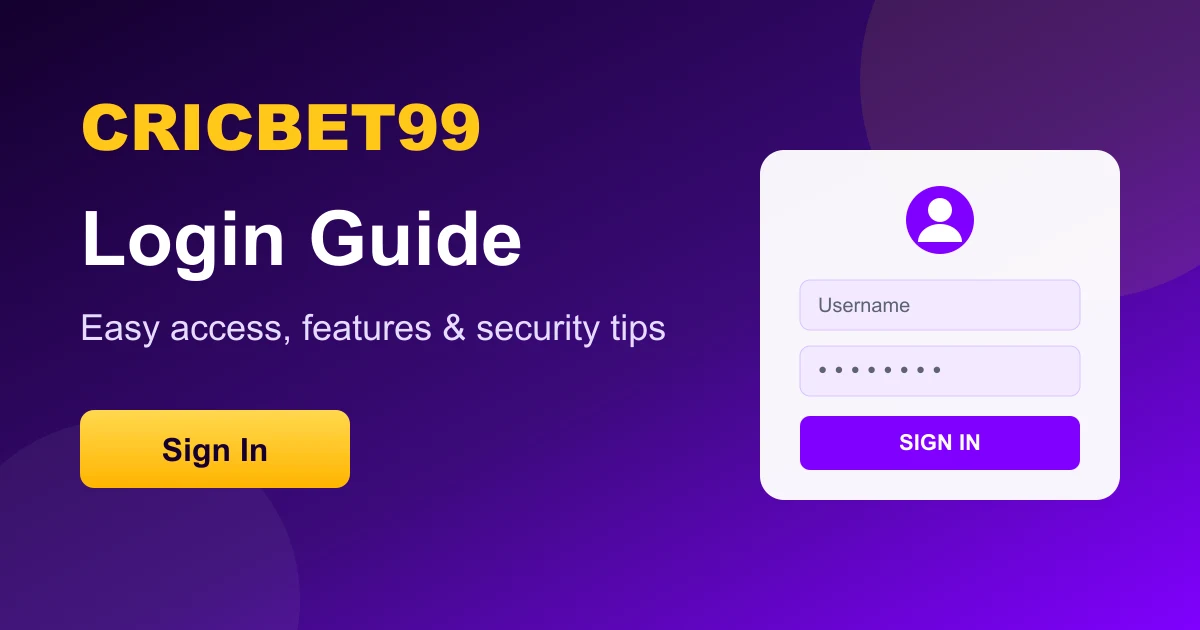
- Tap the Sign In button you'll see up near the top.
- Type in the username you chose when you signed up.
- Add your password, and double-check Caps Lock isn't on.
- Finish by tapping Sign In.
Got everything right? Your account area will open up. If something doesn't match, you'll see an error on the form, and you can either have another go or jump to the troubleshooting tips further down.
What's Inside Once You're Logged In
After you've signed in, your account area pulls a number of features into one place. The layout may shift now and then, but here's what the site usually includes:
- Scores and match status: live scores and where each game stands, shown on the cricket and in-play pages.
- Your account at a glance: somewhere to look over your profile, your balance and your past activity.
- Paying in and out: the ways to deposit and withdraw that are currently on offer. How long things take and what limits apply will depend on the method and the current terms, so it's a good idea to check those before you use one.
- One login, any device: your login details work just the same on a desktop browser as on a mobile one.
- Places to get help: you'll find explanations of how accounts and markets work on the Help Center, FAQ and rules pages.
Login Trouble? Here's How to Sort It
Most of the time, a failed login comes down to something simple. Work your way down this list in order and you'll usually get back in.
When your username or password gets rejected
Try typing both fields again, nice and slowly. Capital letters matter in a password, which is why it's worth checking Caps Lock and your keyboard language setting. Autofill in your browser might be dropping in an old password, too, so it can help to type it by hand. Really can't remember it? Use the "Forgot password?" option inside the sign-in window, which sends you along to the site's support channel for a reset.
The page is slow or won't open
Have a look at your internet connection, flip between Wi-Fi and mobile data, or give another browser a try. If pages look broken or outdated, clearing that site's cache in your browser can help.
Your sign-up isn't finished
You won't be able to log in until registration's fully done. If you began creating an account but stopped partway, wrap up those registration steps first, then try logging in again.
The site is down for maintenance
Just like any other website, Cricbet99 might sometimes be offline for maintenance or a technical problem. If that happens, give it a little time before trying again, rather than sending your details over and over.
Keeping Your Cricbet99 Account Safe
The site handles some of your account's security, and your own habits handle the rest. These habits really do help:
- Check the URL each and every time. Fake copies of a site can look nearly the same as the genuine one. Rely on your saved bookmark, and give the domain a once-over before entering any details.
- Your password and OTPs stay with you, full stop. A real support agent will never need your password or a one-time code. If anyone asks you for them, assume it's a scam.
- Only use support channels you can trust. Reach support through the links on the official site or inside the Help Center, and ignore phone numbers or accounts you spot in search ads, forwarded messages or comment threads on social media.
- Don't pay money to individual people. Payments belong on the payment pages inside your account, nowhere else. If somebody asks you to send funds to their own UPI ID or bank account, be very wary.
- Pick a strong password you don't use elsewhere. Length helps, and so does never reusing it on other sites. Think it might have leaked? Change it.
- Sharing a device? Remember to log out. On a shared or public computer, sign out once you're done and don't let the browser remember your password.
- Turn on the extra protections, if there are any. If there are extra security settings on offer, go through them and turn on the ones that work for you.
Signing In From a Phone? Here's What to Know
Because the site's made to work in mobile browsers, you can log in on your phone using the very same username and password as on your computer. The safety basics don't change: check the address, try to stay off public Wi-Fi when using your account, and keep both the browser and your phone's operating system up to date. Ever see a message or pop-up saying you must install software from an unknown source before you can log in? Don't do it.
The Short Version
Getting into Cricbet99 boils down to a few moves: reach the official site, confirm the address, enter your username and password, then sign in. When something goes wrong, it's usually a typo, a connection problem or an unfinished registration. Your best protection? Keep your password private, ignore anyone asking for OTPs, and only reach support through the channels the official site lists.
A Quick Word on Responsible Play
Cricbet99's betting features are strictly for adults aged 18 and over, and only in places where it's legal to take part. Any stake you place is best seen as the price of entertainment, and don't ever stake money you can't afford to lose. You'll find the restricted jurisdictions listed in the site's Terms & Conditions, while the responsible play page sets out the tools and support that are available.
Frequently asked questions
So how do I actually log in to Cricbet99?
Head to the official Cricbet99 site, tap Sign In up near the top, enter your registered username and password and confirm. When everything matches, you'll land in your account area.
I can't remember my Cricbet99 password. Now what?
Inside the sign-in window there's a "Forgot password?" option, which leads you to the site's support channel to have it reset. Stick to support contacts you've reached through the official site, and don't ever hand your password or a one-time code to anybody.
Is it possible to log in from my phone?
Yes, the site's built to run in mobile browsers, and your username and password are the same whether you're on a phone or a desktop. On any device, it's smart to check the address bar first, before typing anything.
Why won't my Cricbet99 login go through?
Usually it's a typo in the username or password, Caps Lock being on, a patchy connection or a sign-up that was never finished. Still stuck? The Help Center is a good next stop, or you can contact support using the channels listed on the official site.
Would Cricbet99 support ever want my password?
There's never a reason to give your password or an OTP to anyone, and that includes anyone saying they're from support. A request like that is a warning sign, so stop the conversation straight away.